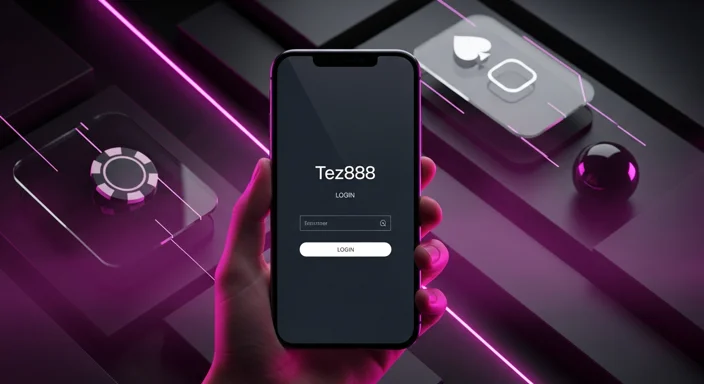
Tez888 app login: sign in, OTP help & fix issues
If you’re stuck on tez888 app login, this guide walks you through sign-in, OTP delivery fixes, and common errors on Android. You’ll also learn quick security steps to keep your account safe while accessing casino and sportsbook features in the tez888 app .
If you haven’t installed it yet, start with the official app download and then return here for login troubleshooting.
Before you log in: quick checklist
Use this fast checklist to avoid most tez888 app login problems:
Check What to do Correct app build Use the latest official installer from Tez888 download app Network stability Switch between Wi‑Fi and mobile data; turn off VPN temporarily SMS access Ensure your SMS inbox isn’t full and your SIM is active Device time Enable “Automatic date & time” on Android Permissions Allow SMS (if requested), Phone (for SIM verification), and Notifications (optional)
If you’re installing from a file, follow the safe steps in how to install APK .
How to sign in on the Tez888 app
Open the app and tap Login / Sign in .
Enter your registered mobile number or username (whichever you used to create the account).
Request the OTP (or choose password login if available).
Enter the OTP exactly as received (don’t copy extra spaces).
Complete any verification step (if prompted) and land on the lobby.
If you’re trying to log in on a new phone, complete OTP verification first, then re-check your security settings (see the Security section below).
OTP not received? Fixes that work in India
When tez888 app login OTP doesn’t arrive, it’s usually a device/SMS routing issue—not the app itself. Try these in order:
1) Confirm the basics
Make sure you’re on the same SIM that receives SMS on that number.
Check Airplane mode is off and signal is stable (at least 2–3 bars).
Wait 60–120 seconds; avoid spamming “Resend OTP” repeatedly.
2) Toggle network and SIM
Switch Wi‑Fi → Mobile Data (or vice versa).
Turn Airplane mode on for 10 seconds , then off.
If dual SIM, set the registered SIM as default for SMS .
3) Check SMS settings and inbox health
Clear space in Messages (a full inbox can block new OTP messages on some devices).
Disable SMS spam filters temporarily (Google Messages “Spam & blocked”).
Ensure you haven’t blocked unknown senders.
4) Fix device time (surprisingly common)
Go to Settings → System → Date & time → Use network-provided time .
5) Try again after cache refresh
If OTP arrives but the app doesn’t accept it, jump to “Clear cache” below.
If none of these works, contact support with your registered number and the time you requested OTP (see Support section).
App login issues: common errors and solutions
“Invalid OTP” even when it’s correct
Request a fresh OTP and enter it immediately.
Don’t paste if your clipboard adds spaces; type manually .
Verify automatic time is enabled (time mismatch can break OTP validation).
If you requested multiple OTPs, only the latest one usually works.
“Account not found” / wrong credentials
Make sure you’re using the same identifier you registered with (mobile vs username).
If you changed your number recently, you may need support help to verify ownership.
“Too many attempts” / temporarily blocked
Stop requesting OTPs and wait 10–30 minutes .
Avoid switching devices repeatedly during the lock window.
Then try a clean login (mobile data + latest OTP).
Force close the app and reopen.
Update Android WebView and Chrome (these components affect app rendering on many phones).
Continue to cache-clearing steps next.
Login stuck after update? Clear cache & reinstall safely
A failed update or older tez888 apk build can cause endless loading, blank screens, or login loops.
Step 1: Clear cache (safe)
Android Settings → Apps → Tez888 → Storage
Tap Clear cache
Relaunch and try signing in again
Step 2: Clear storage (resets app)
Only do this if cache doesn’t help:
Settings → Apps → Tez888 → Storage Tap Clear storage / Clear data
Open the app and log in again
Step 3: Reinstall the latest build
Tip: Avoid keeping multiple installer files. Old APKs can install over newer versions and recreate login problems.
Security tips for safe app login
Protect your account before you deposit or place bets:
Never share OTPs with anyone, including people claiming to be “support”.Use a screen lock (PIN/biometric) on your phone.
Don’t log in on rooted devices or phones with unknown “mod” apps installed.
If you receive unexpected OTP messages, change your password (if enabled) and contact support.
Enable notifications only if you want promo alerts; login works without them.
If you’re evaluating offers after logging in, read the terms first in the bonus guide .
If tez888 app login still fails after OTP and cache fixes, contact support with:
Registered mobile number/username
Device model + Android version
Exact error message (copy/paste)
Approx time of OTP request and your network (Wi‑Fi/mobile data)
Need help?
FAQ
How do I log in to the Tez888 app? Open the app, tap Sign in/Login, enter your registered mobile number/username, request the OTP (or use password if available), then verify and proceed to the lobby.
Why is my Tez888 app login OTP not received? Common causes include weak signal, SMS inbox full, spam filtering, dual-SIM routing, VPN/network changes, or incorrect device time. Switch networks, clear SMS space, set automatic time, and request a fresh OTP after a short wait.
What should I do if the app says “Invalid OTP”? Use the most recent OTP only, enter it quickly, type it manually (avoid extra spaces), and ensure your phone’s date/time is set to automatic. If it persists, clear the app cache and try again.
Is it safe to use an older Tez888 APK to log in? It’s safer to use the latest official build because older APKs can cause login loops or compatibility issues after updates. Use the official download route and follow the safe install steps.
Who can I contact for Tez888 login support? Email support@tez888.com, use 24/7 live chat via the website, or reach out on Telegram @tez888. Share your registered number, device details, and the exact error for faster resolution.
Related Articles